Before you scan
Six rules for a photo the scan can measure.
Most differences between two scans of the same face come from the camera, not the face. A few minutes of setup gives numbers you can compare next month.
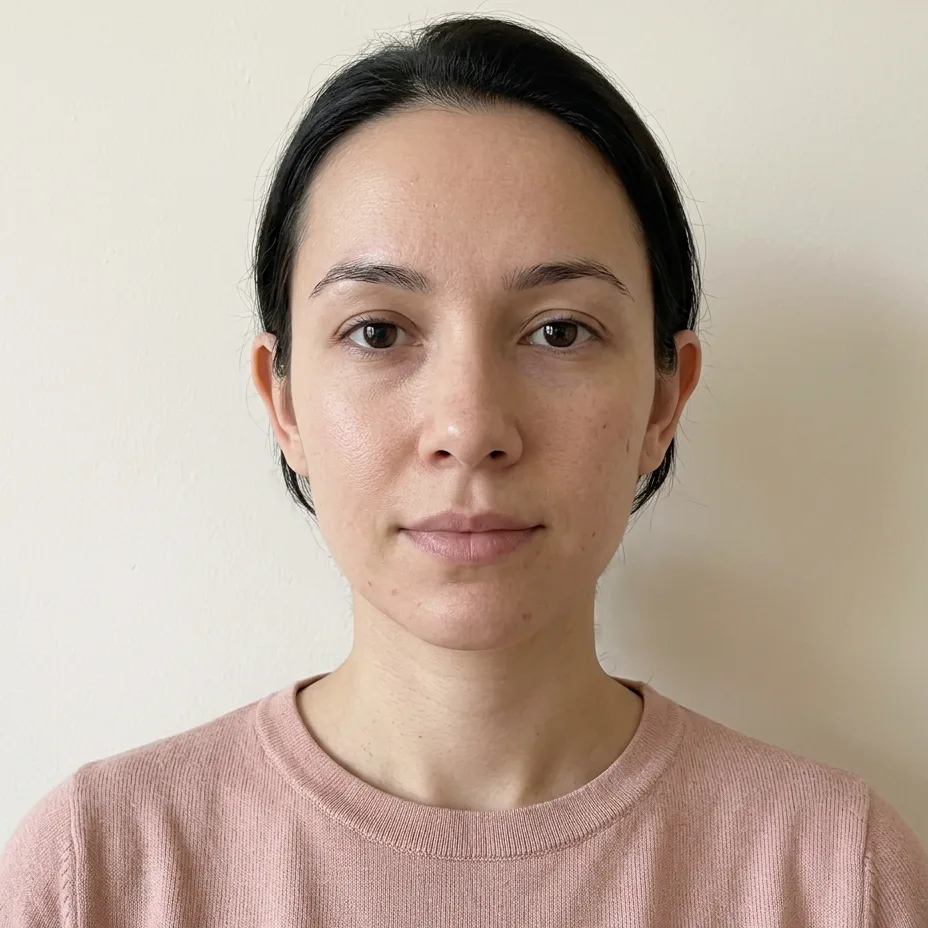
No fringe, glasses or hat over your brows
Glasses, hair over the brows and hats hide landmarks the scan needs around the brows and the eyes, and move the top of the forehead. Tuck hair behind the ears and take glasses off for the one frame you keep.
Protectsthe forehead and brow landmarks
Camera at eye level, an arm and a half away
A phone held above the eyes shrinks the jaw and stretches the forehead; held below, the reverse. Level the camera with the eyes and keep the distance the same each time. Past twenty degrees of tilt, the check marks the thirds as less reliable.
Protectsthe forehead and jaw heights, the thirds
Face the lens so both ears show
A turn of ten degrees already shifts the fifths and the symmetry; past twenty, the check marks them as less reliable. Keep both ears equally visible and the nose on the centre line.
Protectsthe fifths and the symmetry reading
Face a window for soft light from the front
Overhead light shadows the eyes and the under-eye area; side light makes one half look narrower. Light from the front fills both sides evenly, so shadows are not read as edges.
Protectsboth halves reading alike
Neutral face, mouth closed
Smiles widen the mouth and lift the cheeks, which moves the lower-face numbers. Save the smile for the styling photos.
Protectsthe mouth width and the lower-face numbers
Sharp photo, no filters or beauty mode
Rest the phone or use a timer. A slightly soft photo is measured with the eye angles marked as less reliable; a very blurry one is turned down. Filters and beauty modes reshape the face, so they move the landmarks instead of hiding them.
Protectsevery landmark, and the quality check
Quality check
What the check turns down, and what it only flags
The thresholds are fixed and the same for everyone, so the check is about the photo, never about the face. A photo it turns down gets no numbers; a flagged one is measured, with the affected measurements marked as less reliable.
Exactly one face
With no face, or more than one, the scan stops. Group photos and mirror shots that catch a second face are turned down.
Head turned or tilted
Past twenty degrees of turn or tilt the photo is measured with a note; past thirty it is turned down, because the widths and heights no longer describe the face.
Blur
A slightly soft photo is measured with the eye angles marked as less reliable. A very blurry one moves every landmark and is turned down.
Face too small
When the pupils are fewer than forty-five pixels apart, the landmarks are too coarse to measure. Move closer or crop less.
Too dark or too bright
A dark or very bright photo is still measured, with a note on the result. Facing a window instead of a lamp usually clears it.
What a note tells you
It names the measurements this photo makes less reliable, such as the fifths and the symmetry for a turned head, so you know which numbers to read with care.
Three steps
A repeatable setup
Fixed conditions remove most of the difference between two scans. Set them once and reuse them.
Set up once
Pick a spot facing a window, mark where you stand, and set the phone on a shelf or stand at eye height. Note the time of day.
Shoot three, keep one
Take three frames with a timer from an arm and a half away and keep the sharpest. Distance matters more than which camera you use: a phone held close widens the nose and narrows the face.
Read the quality check
The check runs with the measurement. A photo it turns down stays on screen with what to change and a button to use another photo; a flagged one is measured, with a note on the numbers it affects.
FAQ
Photo questions
Set up, shoot, scan.
The free scan checks the photo quality first and tells you what to fix.